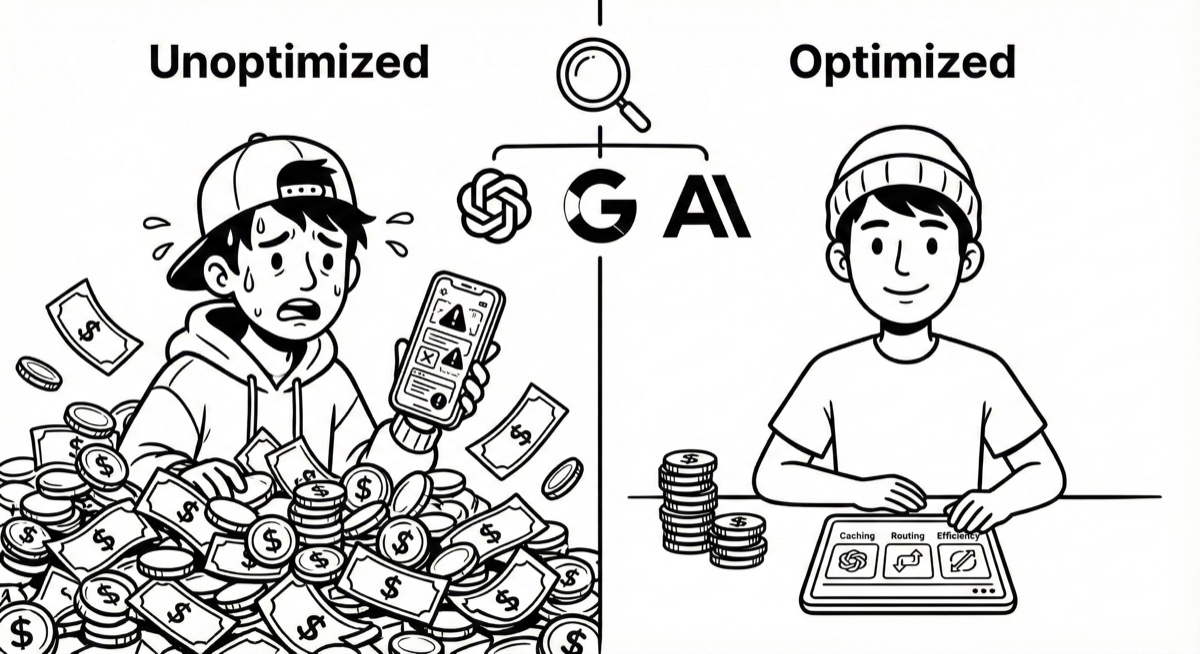
Why Should You Care?
Let’s say you want to build an AI application (chatbot, content generator, customer service system, etc.).
There are three major AI service providers in the market: OpenAI, Google Gemini, and Anthropic Claude.
Their pricing models look complicated, but once you understand them, they’re actually quite simple. How big is the difference?
For the same 100,000 conversations (typical volume for a small-to-medium application per month):
- Right choice: $62
- Wrong choice: $175
- With optimization: $20-30
That’s nearly a 9x difference.
This article will explain these pricing models in the simplest way possible.
Basic Concept: What is a Token?
Token is a “Unit of Measurement”
Think of a Token as a “unit of measurement for text.”
- English: 1 token ≈ 0.75 words
- Chinese: 1 token ≈ 1 character
Examples:
- “今天天氣很好” = 6 characters = ~6 tokens
- “Hello world” = 2 words = ~3 tokens
AI Companies Charge Per Million Tokens
Just like:
- Buying fruit: “$5 per pound”
- Using AI: “How much per million tokens”
1 million tokens sounds like a lot, but it’s actually approximately:
- Content of 200 picture books
- Or 100,000 short conversations
Three Types of Charges
Each AI call incurs three types of costs:
- Input - Text you send in
- Output - Text AI responds with
- Cached Input - Reused content, 10x cheaper
Using McDonald’s as an analogy:
- Input = Your order
- Output = Food they give you
- Cached Input = Membership card with discounts on certain items
Key point: Input and Output are charged separately, and Cached Input is much cheaper.
Core Mechanism: Prompt Caching
This is the most important cost-saving technique, but most people don’t know how to use it.
Why is Prompt Caching 10x Cheaper?
If your AI application uses the same “system instructions” every time:
“You are a customer service assistant who can help with order inquiries, returns, and product questions. Please remain professional and friendly.”
This is about 30 words.
First call:
- AI needs to “read,” “understand,” and “process” these 30 words
- Pay full price
Subsequent calls:
- AI recognizes “I’ve processed this before, just reuse it”
- No need to read and understand again
- Only pay 1/10 of the price
Why is it cheaper? Because AI doesn’t need to redo the same work.
It’s that simple.
No Caching = Reprocess the same content every time With Caching = Reuse processed content directly
If you have fixed content (system instructions, knowledge base, documents), not using Caching makes that portion 10x more expensive.
Comparing Caching Mechanisms Across Providers
OpenAI
- First time: Normal price
- After: Automatically discounted to 1/10
- Intuitive, handles it automatically for you
Gemini
- First time: Normal price + small storage fee (pennies per hour)
- After: 1/10 price
- Supports text, images, videos
Claude
- First time: Slightly more expensive (1.25x)
- After: 0.1x (10x cheaper)
- Biggest discount if you have high reuse rates
Key takeaway: If your application has fixed content (system instructions, knowledge base, documentation), using Caching makes that portion 10x cheaper.
Pricing Overview: How Do They Compare?
Using “restaurants” as an analogy makes it easier to understand:
OpenAI: From Fast Food to Michelin
| Model | Input | Output | Positioning |
|---|---|---|---|
| gpt-5-nano | $0.05 | $0.40 | Fast food (cheap, quick, adequate) |
| gpt-5-mini | $0.25 | $2.00 | Casual dining (balanced quality and price) |
| gpt-5.1 | $1.25 | $10.00 | Fine dining (high quality but expensive) |
| GPT-5 Pro / o series | $15+ | $120+ | Michelin (premium but astronomical) |
Google Gemini: Best Value Proposition
| Model | Input | Output | Positioning |
|---|---|---|---|
| Flash-Lite | $0.10 | $0.40 | Street food (super cheap) |
| Flash | $0.30 | $2.50 | Local eatery (cheap and good) |
| Pro | $1.25 | $10.00 | Fine dining (competing with OpenAI) |
Claude: Expensive on Surface, But Big Caching Discounts
| Model | Input | Output | Positioning |
|---|---|---|---|
| Haiku 3 | $0.25 | $1.25 | Fast food |
| Haiku 4.5 | $1.00 | $5.00 | Casual restaurant |
| Sonnet 4.5 | $3.00 | $15.00 | Fine dining |
Key point: Claude looks most expensive, but with Caching you can get 1/10 discount. If your application has high repetition and long content, Claude might actually be the cheapest.
Real Calculation: How Much Does a Customer Service Bot Cost?
Let’s use a real scenario:
Scenario Setup
- 100,000 conversations per month
- Each conversation:
- Content you send to AI: 500 tokens (including system instructions + user question)
- AI response: 250 tokens
Calculate Total Volume
- Total input: 100k × 500 = 50 million tokens = 50M
- Total output: 100k × 250 = 25 million tokens = 25M
How Much Does Each Provider Cost? (Without Caching)
OpenAI gpt-5-mini
- Input: 50M ÷ 1M × $0.25 = $12.5
- Output: 25M ÷ 1M × $2.00 = $50
- Total: $62.5 / month
Gemini Flash
- Input: 50M ÷ 1M × $0.30 = $15
- Output: 25M ÷ 1M × $2.50 = $62.5
- Total: $77.5 / month
Claude Haiku 4.5
- Input: 50M ÷ 1M × $1 = $50
- Output: 25M ÷ 1M × $5 = $125
- Total: $175 / month
Initial Conclusion
Without any optimization:
- OpenAI is cheapest ($62.5)
- Gemini is mid-range ($77.5)
- Claude is most expensive ($175)
2.8x difference.
But this is just “base price,” without any cost-saving techniques.
How Much Can Caching Save?
Now let’s optimize the scenario above.
Assume System Instructions Are 80%
In each 500 tokens of input:
- 400 tokens are fixed system instructions
- 100 tokens are user questions (different each time)
Cost After Using Caching (OpenAI Example)
Input Cost
Before (No Caching):
- Total input: 50M × $0.25 = $12.5
After (With Caching):
- Fixed portion (first time): Pay once
- Fixed portion (after): 40M × $0.025 = $1 (10x cheaper)
- Dynamic portion: 10M × $0.25 = $2.5
- Input subtotal: $3.5
Saved $9, reduced by 72%.
Plus “Using Cheaper Models for Simple Questions”
80% simple questions (“business hours,” “return policy”) use gpt-5-nano:
- Simple questions output (80%): 20M × $0.4 = $8
- Complex questions output (20%): 5M × $2.0 = $10
- Output total cost: $18 (originally $50)
Final total cost: Input $3.5 + Output $18 = ~$21.5 / month
From $62.5 down to $21.5, saving 66%.
Hidden Traps: Additional Tool Fees
Web Search / Grounding
Some AI providers offer “web search” features, but charge extra.
OpenAI Web Search
- Per 1000 queries: $10
- Plus each query counts as 8000 tokens
Where’s the trap?
You just ask “today’s weather” (4 characters), but if AI searches the web, it counts as:
- 4 characters for the question
- 8000 characters for the search
Cost explodes 2000x.
Gemini Grounding
- After free tier: $35 per 1000 queries
Recommendation
Only enable when truly needed:
- User explicitly requests latest information
- Internal knowledge base doesn’t have the answer
- Keywords are very recent (e.g., yesterday’s news)
Otherwise, it’s like ordering combo meals at McDonald’s every time—money burns fast.
Cost-Saving Architecture: Three Strategies
Strategy 1: Model Tiering
Don’t use the same model for all questions.
Analogy: You don’t eat Michelin every meal.
- Simple questions (“business hours,” “return policy”) → Use nano / Flash-Lite
- General questions (“order lookup,” “product recommendations”) → Use mini / Flash
- Complex questions (“deep analysis,” “technical consulting”) → Use 5.1 / Pro
80% of questions use cheap models, only 20% use expensive ones = save a lot.
Strategy 2: Three Must-Do Things
1. Log Usage
Record every API call:
- How many input / output tokens used
- Which model was used
- Whether additional tools were used
Build a simple dashboard to track:
- Daily costs
- Model usage breakdown
- Abnormal usage alerts
Like keeping a budget—you know where your money goes.
2. Enable Caching
Put fixed content (system instructions, knowledge base, FAQs) in cache:
- First time pay full price
- After that, this portion is 90% cheaper (only pay 1/10)
The higher the fixed content ratio, the more you save.
3. Understand and Choose the Right Service Tier
All three AI providers offer different service tiers with significant price and feature differences.
Service Tier Complete Guide
OpenAI’s Four Tiers
Standard
- Pricing: Normal pricing (as in tables above)
- Speed: Normal response time
- Best for: General production, real-time applications
Batch
- Pricing: 50% discount from Standard
- Processing time: Completed within 24 hours
- Limitation: Not real-time, requires waiting
- Best for:
- Bulk document analysis
- Offline data processing
- ETL pipelines
- Non-urgent evaluation tasks
Example:
- Standard: gpt-5-mini input $0.25/M
- Batch: gpt-5-mini input $0.125/M (save 50%)
Realtime
- Pricing: More expensive than Standard
- Features: Voice conversation, real-time streaming
- Best for: Voice assistants, real-time dialogue apps
Claude’s Three Tiers
Standard
- Pricing: Normal pricing
- Speed: Normal response
- Best for: General production environment
Batch
- Pricing: 50% discount from Standard
- Processing time: Within 24 hours
- Limitation: Not real-time
- Best for: Batch processing, offline analysis
Example:
- Standard: Sonnet 4.5 input $3.00/M
- Batch: Sonnet 4.5 input $1.50/M (save 50%)
Priority
- Pricing: About 20-30% more than Standard
- Guarantee: Higher rate limits, priority processing
- Best for: High-traffic apps, guaranteed availability needs
Gemini’s Three Tiers
Free
- Pricing: Completely free
- Limitation: Lower rate limits, data may be used for product improvement
- Best for: Development, testing, small projects
Paid (Standard)
- Pricing: Normal pricing
- Guarantee: Higher rate limits, data not used for training
- Best for: Production environment, commercial applications
Batch (Asynchronous)
- Pricing: 50% cheaper than Paid
- Processing time: Non-real-time, asynchronous processing
- Best for: Non-urgent tasks, batch processing
Example:
- Paid: 2.5 Pro input $1.25/M
- Batch: 2.5 Pro input $0.625/M (save 50%)
Service Tier Selection Guide
When to use Standard?
✅ Default choice - Suitable for 95% of use cases
- Real-time response needs
- Production environment
- User-facing applications
- Latency sensitive
When to use Batch?
✅ Save 50% - But must accept delays
- Daily scheduled report generation
- Bulk historical data analysis
- Content moderation (non-real-time)
- Data labeling
- Model evaluation
- Knowledge base building
Important: Completed within 24 hours, not for urgent tasks
When to use Free (Gemini)?
✅ Completely free - But with limitations
- Development/test environments
- Learning and experimentation
- Small personal projects
- MVP validation
When to use Priority (Claude)?
✅ Pay for guarantees - High-traffic applications
- Thousands of requests per second
- Mission-critical applications
- Need guaranteed SLA
- Cannot be throttled during peak times
Real Cost Comparison
Processing 1 million tokens:
| Model | Standard/Paid | Batch | Savings |
|---|---|---|---|
| OpenAI gpt-5-mini | $0.25 | $0.125 | Save $0.125 |
| Claude Sonnet 4.5 | $3.00 | $1.50 | Save $1.50 |
| Gemini 2.5 Pro | $1.25 | $0.625 | Save $0.625 |
If processing 100 million tokens per month:
- Standard: $25 (OpenAI) / $300 (Claude)
- Batch: $12.5 (OpenAI) / $150 (Claude)
- Monthly savings: $12.5 - $150
Strategy 3: Reduce Waste
Shorten System Instructions
Wasteful version:
“Dear user, thank you very much for using our service. I am your dedicated AI customer service assistant, and it is my honor to serve you. I can help you with various issues, including but not limited to order inquiries, return/exchange requests, product consultations, etc. How may I assist you today?”
69 words
Concise version:
“Hello, I’m a customer service assistant. I can help with orders, returns, or product questions. What do you need?”
25 words
Saved 64%.
Don’t Accumulate Conversation History
Wasteful approach:
Round 1: “Business hours?” Round 2: Send Round 1 to AI as well Round 3: Send Rounds 1, 2 to AI … Round 10: Send all previous 9 rounds to AI
Gets more expensive.
Cost-saving approach:
Summarize every 3-5 rounds:
“User asked about business hours and product prices, I answered.”
Only give AI this summary, not the full record.
Saves many tokens.
Decision Guide: Four Scenarios
Scenario 1: Limited Budget, Seeking Maximum Cheapness
Suitable for:
- Personal projects, student assignments
- Simple functions (classification, short answers)
- High-frequency calls
Recommendation:
- OpenAI gpt-5-nano or Gemini Flash-Lite
- Like choosing fast food—cheap and adequate
Scenario 2: Daily Applications, Balancing Quality and Cost
Suitable for:
- Customer service bots, content generation
- Small to medium business applications
- Need certain quality
Recommendation:
- OpenAI gpt-5-mini or Gemini Flash
- Like choosing casual dining—good quality, not expensive
- Both are similar ($62 vs $77), depends on your preference
Scenario 3: Pursuing Highest Quality
Suitable for:
- Research, analysis, important decisions
- Complex reasoning tasks
- Sufficient budget
Recommendation:
- OpenAI gpt-5.1 / o3 or Gemini Pro or Claude Sonnet
- Like choosing fine dining
- Try all three, see which gives best quality
Scenario 4: High Repetition, Long Content
Suitable for:
- Legal document analysis
- Long-form reviews
- Fixed knowledge base Q&A
Recommendation:
- Claude Haiku / Sonnet + Caching
- While most expensive on surface, Caching discount is biggest
- Might actually be cheapest
Analogy:
Claude is like a transit system with the most expensive single tickets but biggest monthly pass discounts:
- Single ticket: Most expensive
- Monthly pass discount: Most
- Daily commute: Actually cheapest
Summary: Remember Three Key Points
1. Choose the Right Model
- Daily applications: gpt-5-mini / Flash
- Maximum cheapness: nano / Flash-Lite
- Highest quality: 5.1 / Pro
2. Must Use Caching
If you have fixed content (system instructions, knowledge base), cached portions are 10x cheaper. The higher the fixed content ratio, the more you save.
3. Start Tracking and Optimizing
- Log every usage
- Build cost monitoring
- Regularly review and adjust
Real Case Comparison
Same functionality (100k conversations / month):
| Approach | Cost | Explanation |
|---|---|---|
| Clueless, random choice | $175 | Chose Claude but don’t know how to use it |
| Basic understanding | $62.5 | Chose OpenAI mini |
| Fully optimized | $20-30 | Caching + tiering + optimization |
Knowledgeable people spend $20, clueless people spend $175
9x difference.
Conclusion
Choosing AI services is like choosing restaurants:
- Don’t eat Michelin every meal (too expensive)
- Don’t eat instant noodles every meal (poor quality)
- Choose appropriately based on the situation
Remember three things:
- Use cheap models for simple questions, expensive ones only for complex questions
- Must use Caching for fixed content
- Log and monitor to know where your money goes
This way you can build high-quality AI applications with minimal cost.